
Solutions


Why Add to Calendar Links Convert Better Than .ics Files add to calendar
Updated Jan 29th, 2026 by Joep Leussink
If you’ve ever promoted an event, a webinar, a product launch, or a livestream, you already know the hard part isn’t getting attention.
It’s getting people to actually show up.
Most marketing teams focus on registrations, signups, and clicks. But attendance is driven by something much simpler:
People have to remember.
That’s why Add to Calendar buttons and links consistently convert better than .ics files. They don’t just help people save the date. They build an automatic reminder system directly into someone’s day.
Here’s why that matters, and why .ics downloads often fall short.
Attendance is a memory problem, not a marketing problem
People don’t miss events because they don’t care. They miss events because life gets busy.
Your audience is juggling so many different things: meetings, deadlines, family obligations, and a world of constant content competing for their limited attention spans.
So the real question becomes:
How do you shift from “hope they remember” to “make it nearly impossible to forget”?
That’s exactly what happens when someone saves an event to their calendar.
Calendar saves work because external memory wins
A calendar is not just a scheduling tool. It’s a form of external memory.
When someone adds your event to their calendar, they’re doing something powerful: they’re transferring responsibility from their brain to a system they trust.
Instead of thinking:
“I’ll remember this.”
They’re saying:
“My calendar will remind me.”
That single shift reduces mental effort and removes friction between intent and action. It’s also why calendar saves lead to higher attendance, stronger follow-through, and better conversion rates.
Why Add to Calendar links outperform .ics files
Both options technically do the same thing in that they help someone add an event to their calendar. But the experience feels completely different…and that difference impacts conversion.
Add to Calendar links feel instant
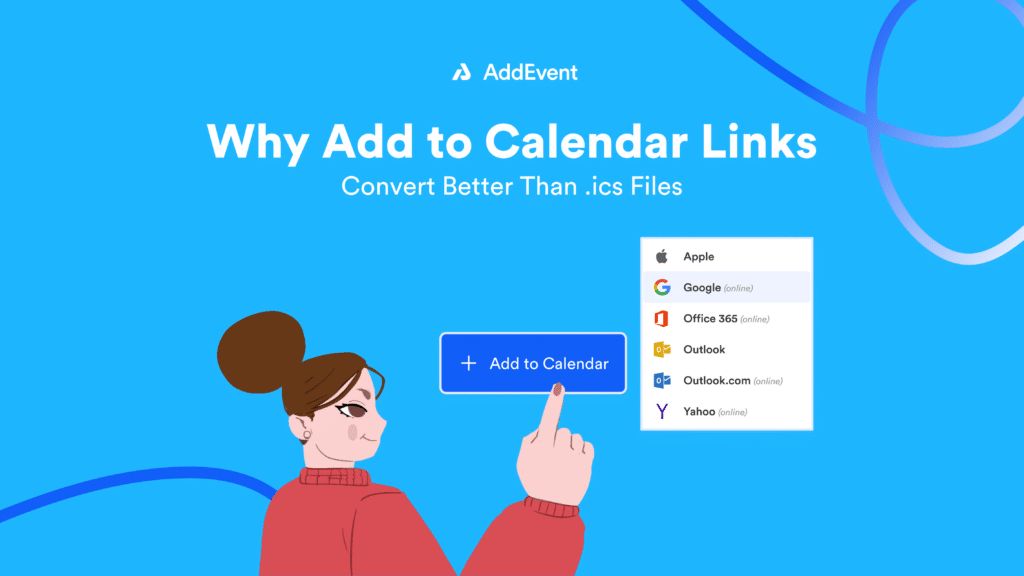
Add to Calendar links are fast and familiar:
Click the link → choose a calendar platform → hit save.
That’s it.
On the other hand, downloading an .ics file introduces hesitation:
Where did the file download? Do I open it now or later? Is it safe? Which calendar did it go to? Did it actually work? Wait, what am I supposed to do with this thing again?
And every extra step lowers completion rates, which means reduced attendance rates, too.
.ics files create uncertainty
Even when an .ics file is legitimate, it still triggers a common reaction. People don’t love downloading files. Especially on mobile, and who isn’t usually on their phone these days?
A “Save to Google Calendar” or “Save to Outlook” option feels clear and intentional. “Download .ics” feels technical and unfamiliar. Links match what users already expect, so they’re more likely to follow through.
People want control before saving
When someone clicks an Add to Calendar link, they can usually preview the details first:
- date and time
- time zone
- location or video link
- notes and description
That preview builds confidence.
An .ics file often feels like a blind import, which makes users more likely to abandon the process.
Calendar saves create reminders automatically
This is the biggest difference.
A calendar event doesn’t just store information. It triggers reminders.
Depending on someone’s settings, they may get:
- An alert 30 minutes before
- A second reminder 10 minutes before
- A desktop pop-up
- A mobile push notification
- A visible “up next” reminder throughout the day
In other words, one click creates repeated attention. That’s why event-adds drive attendance.
The real conversion is not the click, it’s the commitment
Registration indicates interest. But a calendar save is commitment. When someone saves something to their calendar, they’re mentally ranking it as important enough to take up space in their schedule. They’ve already made room for it.
That tiny action can lead to:
- Higher live webinar turnout
- More product launch viewers
- Fewer no-shows for demos
- Stronger participation in community events
- More repeat viewers for recurring content
Calendar saves improve performance throughout your funnel, not just at the final moment.
A better way to turn signups into attendance
AddEvent makes it easy to create Add to Calendar buttons and links that work across calendars and devices, without sending users through clunky downloads.
You can:
- Add Add to Calendar links marketing and confirmation emails
- Add Add to Calendar buttons to your website and landing pages
- Support multiple calendar options
- Help users save events in seconds
- Create a smoother mobile experience
- Turn registrations into real attendance
If your event performance is measured by turnout, not just clicks, this is one of the simplest upgrades you can make.
The takeaway: reminders beat good intentions
People don’t need more information. They just need fewer opportunities to forget. Add to Calendar buttons work because they reduce friction, build trust, create automatic reminders, and increase the likelihood that people will remember to show up. In a world full of distractions, the best marketing isn’t louder.
It’s remembered. Sign up for a free AddEvent account and see for yourself!
FAQs
Do Add to Calendar links work on all devices and calendar platforms?
Yes. Add to Calendar links are designed to work across the major platforms people actually use, including Google Calendar, Outlook, Apple Calendar, and more. The user clicks, picks their calendar, and saves in seconds without needing to download anything.
How do calendar saves increase attendance?
A calendar save turns interest into commitment. Once the event is on someone’s calendar, reminders kick in automatically, making it much more likely they will show up. It is one of the simplest ways to reduce no-shows without needing more ads, more emails, or more follow-up.
Will calendar links help if people are already registered?
Yes. In fact, this is where it matters most. Registration shows interest, but a calendar save is what turns that interest into an actual plan. If someone registers but does not add it to their calendar, it is easy for them to forget.
Do people need to create an account to use an Add to Calendar link?
No. The best Add to Calendar experiences are one click, choose a calendar, save. There should be no extra logins or hoops to jump through.
Is information secure when using AddEvent for online events?
Yes. AddEvent is SOC 2 compliant, which means all AddEvent solutions are built with strong security controls to keep you and your customers’ information safe.
Whether you are hosting an online event, webinar, or virtual meeting, any information processed through AddEvent is handled using security practices that meet strict, independently audited standards.
